Record the trip
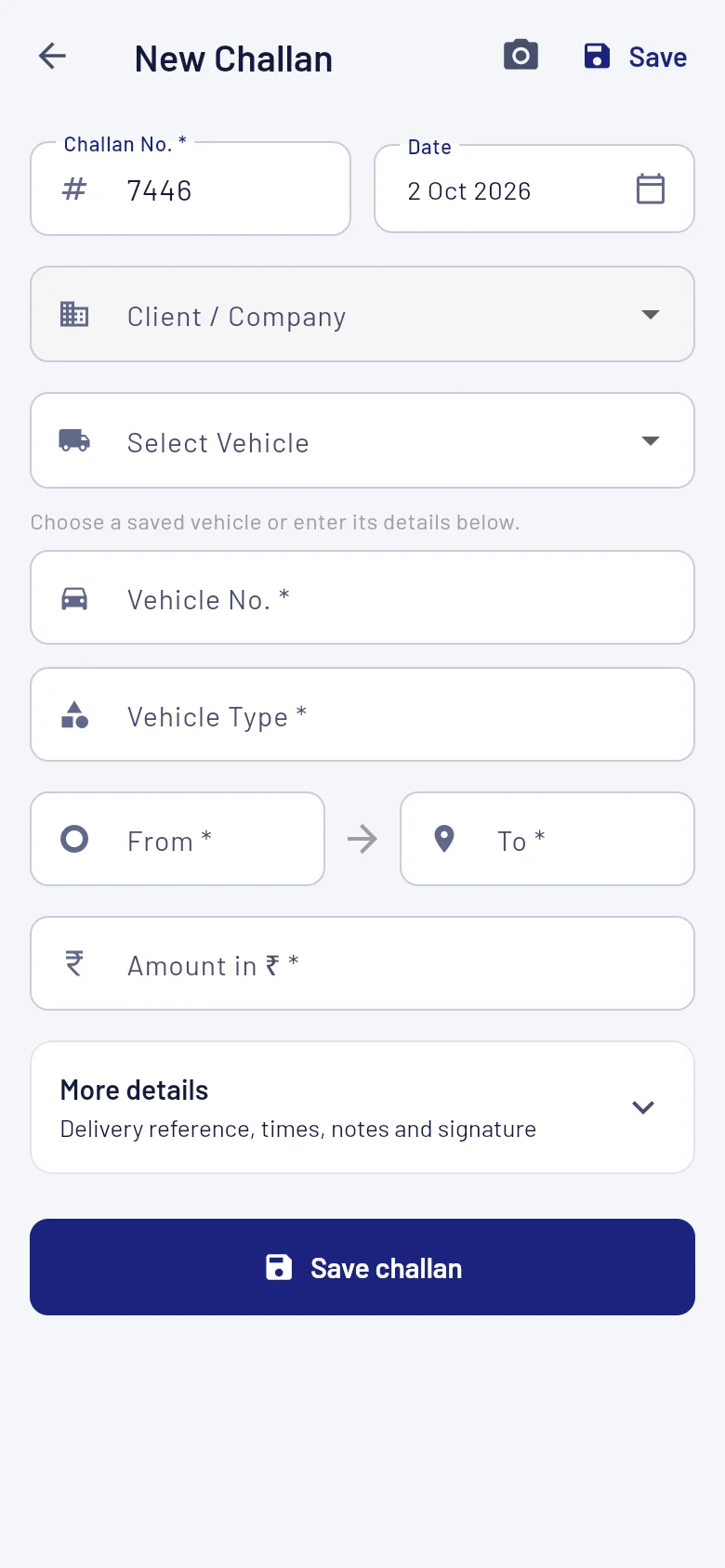
Choose a saved vehicle and client, add the route and enter the amount. Save the challan with its own number.
Challans, GST invoices and driver balances. Munshi keeps the daily work of your transport office together, on Android and the web.

A trip starts with a challan. When it's time to bill, select the client's trips and let Munshi carry the details into the invoice.
Choose a saved vehicle and client, add the route and enter the amount. Save the challan with its own number.
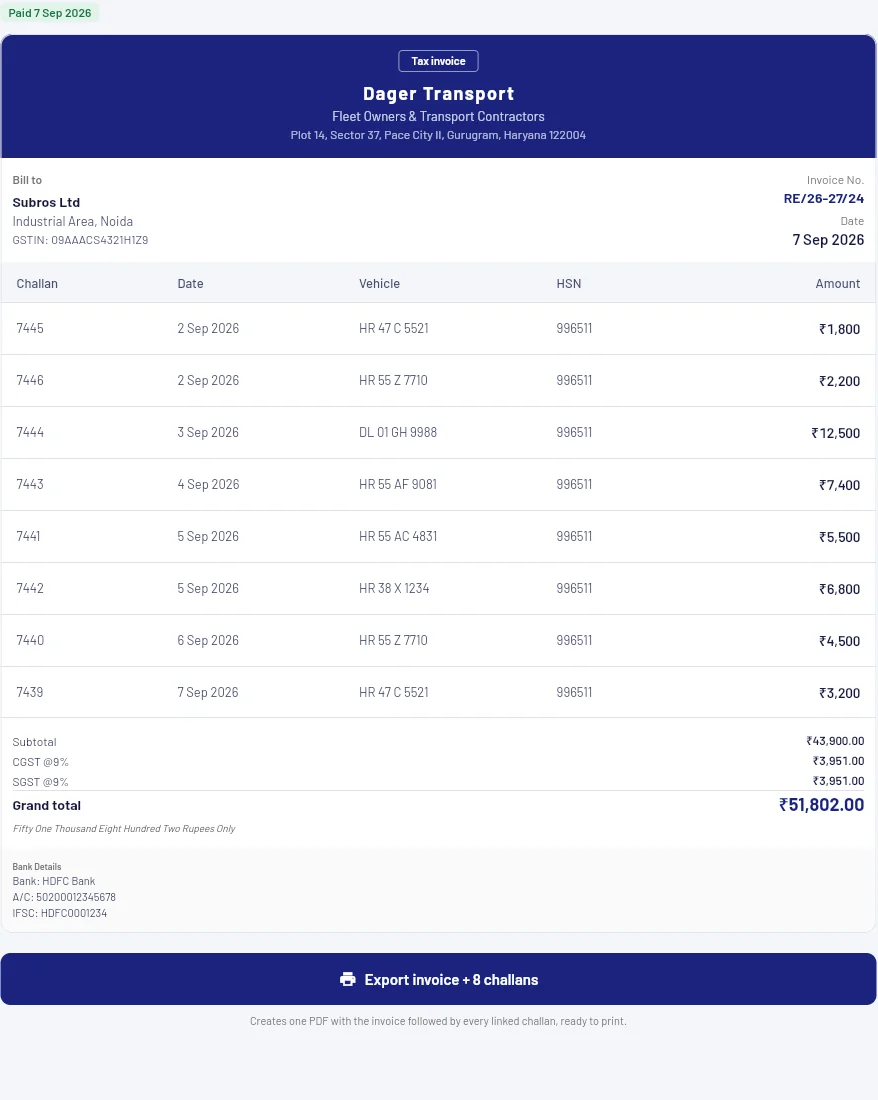
Select a client's un-invoiced challans. Create one invoice, or split a larger batch into multiple invoices.
Export the GST invoice with its linked challans in one PDF. Mark it paid to lock the invoice and its records.
Keep vehicle numbers, delivery references and trip amounts attached to the bill. See which challans are invoiced and which still need attention.
Set CGST, SGST or IGST rates and the HSN code. Munshi calculates tax and invoice totals from the selected trips.
Export an invoice on its own or include every linked challan. Choose A4 or A5 challans in print settings.
Review earlier document versions. Finalized invoices stay editable until payment; paid invoices are locked.
Saved details.
Fewer taps.Your clients, vehicles and locations are ready for the next trip.
Use the same Google account on Android and web. Current records sync between your devices, so you can pick up the work where you left it.
Android saves your challans and invoices locally. Changes sync when you reconnect. Sign-in and challan scanning need internet.
Maintain driver profiles, assign their current route and record salary, advances, payments and dues.
Open the web app and sign in with Google. Set up your company details, add your clients and vehicles, then create your first challan. Use the same Google account in the Android app.
No. Sync shares your current records between devices. "Back up now" creates a separate restore point. If both devices edit the same records, Munshi asks you to review the copies before replacing either one.
Yes. Use "Scan Challan" in the new challan form to extract details from an image. Check the extracted fields before saving. Scanning needs internet and has usage limits.
Yes. Enable login on a driver's profile, then they can sign in through the Driver option in the same app. They see their assigned route without freight pricing, their salary ledger and their own profile. They can upload licence or health documents and add an emergency contact. Android route sharing requires the driver's permission and shows an ongoing notification.
Munshi saves records locally on your device and syncs them to your account's cloud organization. Cloud backups are separate and are not encrypted by Munshi. Read the privacy policy for details.
Open Munshi, set up your company and start with a challan.